
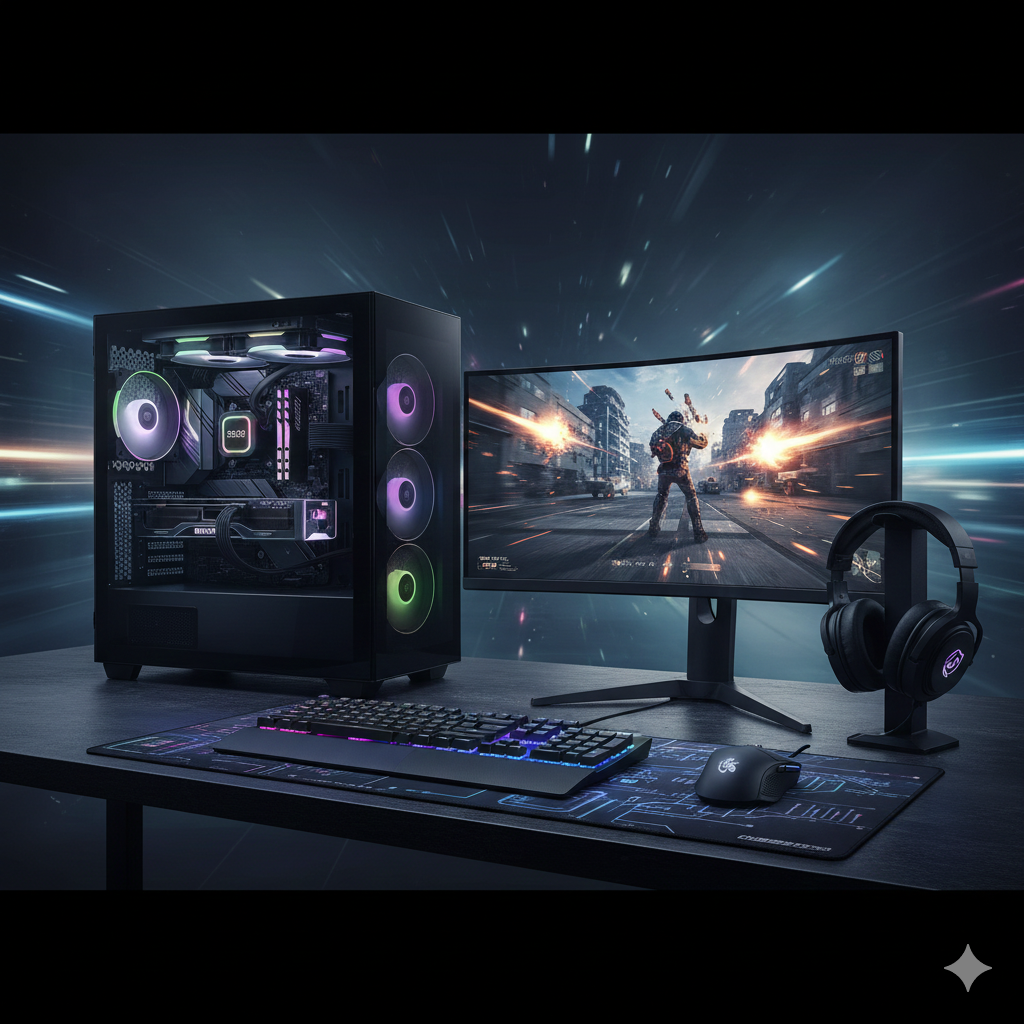
The Ultimate Gaming PC Build Guide: Max Performance, Every Peripheral & Essential Power Backup
Building the ultimate gaming PC is more than just assembling parts; it’s about crafting an immersive, high-performance ecosystem that delivers unparalleled visual fidelity, responsiveness, and reliability. This comprehensive guide will walk you through a top-tier gaming PC configuration, delving into each component’s performance and features, from the core hardware to essential peripherals and critical power backup solutions. Get ready to conquer virtual worlds with blazing speed and stunning graphics!
The Core Machine: Unleashing Raw Power
The heart of any great gaming setup lies within the PC itself. We’ll focus on a high-end, no-compromise build designed for 4K gaming at high refresh rates and seamless performance in demanding titles.
1. Central Processing Unit (CPU)
The CPU orchestrates all operations. For gaming, a high-core-count, high-clock-speed processor is paramount.
-
Recommendation:
-
Intel: Intel Core i9-14900K (or latest equivalent)
-
AMD: AMD Ryzen 9 7950X3D (or latest equivalent)
-
-
Performance & Features:
-
Intel i9-14900K: Offers incredible single-core performance, crucial for gaming, combined with high core/thread counts for multitasking and streaming. Excellent for hybrid workloads.
-
AMD Ryzen 9 7950X3D: Features AMD’s 3D V-Cache technology, providing a massive L3 cache that significantly boosts gaming performance, often surpassing Intel in many titles while being more power-efficient.
-
High Clock Speeds: Crucial for frame rates.
-
Overclocking Potential: Allows for pushing performance even further (with adequate cooling).
-
Future-Proofing: Ample cores for upcoming game titles and simultaneous background tasks.
-
2. Graphics Processing Unit (GPU)
This is the single most important component for gaming performance, dictating frame rates, resolution capabilities, and visual quality.
-
Recommendation: NVIDIA GeForce RTX 4090
-
Performance & Features:
-
Unmatched 4K Gaming: The RTX 4090 is the undisputed king of 4K gaming, delivering consistently high frame rates even with all settings maxed out.
-
DLSS 3 & Frame Generation: NVIDIA’s AI-powered upscaling and frame generation technology dramatically boosts performance in supported games, often doubling frame rates.
-
Exceptional Ray Tracing: Offers the best ray tracing performance for hyper-realistic lighting, shadows, and reflections.
-
Generous VRAM: 24GB of GDDR6X VRAM ensures smooth performance even with high-resolution textures and future titles.
-
Content Creation Powerhouse: Also excels in video editing, 3D rendering, and AI tasks.
-
3. Motherboard
The backbone connecting all components. Choose one compatible with your CPU, offering robust power delivery and essential features.
-
Recommendation:
-
Intel: Z790 chipset (e.g., ASUS ROG Maximus Z790 Hero, MSI MEG Z790 ACE)
-
AMD: X670E chipset (e.g., ASUS ROG Crosshair X670E Hero, Gigabyte AORUS X670E Master)
-
-
Performance & Features:
-
Robust VRM (Voltage Regulator Module): Essential for stable power delivery to high-end CPUs, especially when overclocking.
-
PCIe 5.0 Support: Future-proofs for next-gen GPUs and NVMe SSDs.
-
DDR5 RAM Support: Required for the latest CPU generations.
-
Multiple M.2 Slots: For high-speed NVMe SSDs.
-
High-Speed Networking: 2.5GbE or 10GbE LAN, Wi-Fi 6E/7 for low-latency online gaming.
-
Ample USB Connectivity: For all your peripherals.
-
4. RAM (Random Access Memory)
Crucial for multitasking and game loading. For high-end gaming, faster DDR5 is a must.
-
Recommendation: 32GB (2 x 16GB) DDR5 RAM at 6000MHz CL30 or faster.
-
Performance & Features:
-
Speed (MHz): Higher clock speeds directly impact game performance, especially with AMD Ryzen CPUs.
-
Low Latency (CL): A lower CAS Latency (CL) number indicates quicker data access.
-
Capacity: 32GB is the sweet spot for current and future demanding games, background applications, and streaming.
-
Dual-Channel Configuration: Always use two sticks for optimal performance.
-
5. Storage
A blend of speed and capacity is ideal.
-
Recommendation:
-
Primary (OS & Games): 2TB NVMe PCIe Gen4 SSD (e.g., Samsung 990 Pro, WD Black SN850X)
-
Secondary (Game Library/Data): 4TB NVMe PCIe Gen4 SSD or a high-capacity 4TB/6TB SATA SSD.
-
-
Performance & Features:
-
NVMe PCIe Gen4/Gen5 SSD: Offers sequential read/write speeds of 7,000 MB/s+ (Gen4) or 10,000+ MB/s (Gen5), dramatically reducing game loading times, boot times, and level transitions.
-
High IOPS: Excellent for handling many small files quickly, which is common in OS operations and game asset loading.
-
SATA SSD (for secondary): More cost-effective for larger capacities if NVMe is too pricey, still vastly faster than HDDs.
-
6. Power Supply Unit (PSU)
The unsung hero, providing stable power. Never skimp on the PSU.
-
Recommendation: 1000W to 1200W, 80 Plus Platinum/Titanium rated, fully modular.
-
Performance & Features:
-
Wattage: Provides ample headroom for the RTX 4090 and high-end CPU, even under full load and potential overclocking.
-
80 Plus Rating (Platinum/Titanium): Indicates high efficiency, meaning less wasted power as heat and lower electricity bills.
-
Fully Modular: Allows you to connect only the cables you need, improving airflow and cable management.
-
Reliability: Invest in reputable brands (e.g., Seasonic, Corsair, be quiet!, Enermax, ASUS ROG) for component safety and longevity.
-
7. Cooling Solution
High-end components generate significant heat. Effective cooling is critical for sustained performance and component lifespan.
-
Recommendation: 360mm or 420mm AIO (All-In-One) Liquid Cooler (e.g., Arctic Liquid Freezer II, Corsair iCUE H150i/H170i, NZXT Kraken)
-
Performance & Features:
-
Superior Heat Dissipation: Liquid coolers are highly effective at moving heat away from the CPU, maintaining boost clocks and preventing thermal throttling.
-
Quiet Operation: Larger radiators and fans can run slower, resulting in quieter operation.
-
Aesthetics: Many AIOs offer RGB lighting and customizable displays for a personalized look.
-
Case Fans: Ensure your case has ample airflow with high-quality intake and exhaust fans.
-
8. PC Case
More than just aesthetics, a good case provides airflow and ease of building.
-
Recommendation: Mid to Full-Tower ATX with excellent airflow (e.g., Lian Li O11 Dynamic EVO, Fractal Design North/Torrent, Corsair 7000D Airflow).
-
Performance & Features:
-
Airflow: Crucial for keeping components cool. Look for mesh front panels and ample fan mounting options.
-
Cable Management: Features like cable cutouts, tie-down points, and sufficient space behind the motherboard tray make building easier and improve airflow.
-
Radiator Support: Ensure it supports your chosen AIO radiator size.
-
GPU Clearance: Confirm enough space for large GPUs like the RTX 4090.
-
The Visual Gateway: Monitor
Your window into the game world. Don’t let a great PC be bottlenecked by a poor display.
-
Recommendation: 27-32 inch, 4K (3840×2160) or 1440p (2560×1440), 144Hz+ Refresh Rate, IPS Panel, G-Sync Ultimate/FreeSync Premium Pro.
-
Performance & Features:
-
Resolution:
-
4K: Unmatched visual fidelity, perfect for the RTX 4090.
-
1440p: Excellent balance of sharpness and higher frame rates, less demanding on the GPU.
-
-
Refresh Rate (Hz): 144Hz and above provides incredibly smooth motion, reducing input lag and enhancing responsiveness. Essential for competitive gaming.
-
Response Time (ms): 1ms GTG (Grey-to-Grey) is ideal for minimizing ghosting and motion blur.
-
Panel Type (IPS): Offers superior color accuracy and wider viewing angles compared to TN or VA panels, crucial for immersion.
-
Adaptive Sync (G-Sync Ultimate / FreeSync Premium Pro): Eliminates screen tearing and stuttering by synchronizing the monitor’s refresh rate with the GPU’s frame rate.
-
HDR (High Dynamic Range): Enhances contrast and color vibrancy for a more lifelike image, look for HDR600 or higher.
-
The Control Center: Input Devices
Precision and comfort are key to gaming success.
1. Gaming Mouse
Your direct connection to the game.
-
Recommendation: Lightweight wireless gaming mouse with a high-performance sensor (e.g., Logitech G Pro X Superlight 2, Razer Viper V2 Pro, Glorious Model O 2 Wireless).
-
Performance & Features:
-
High DPI/CPI Sensor: Offers extreme precision and responsiveness, crucial for accurate aiming. Look for 20,000+ DPI.
-
Low Latency Wireless: Modern wireless mice are often faster than wired, with virtually imperceptible latency.
-
Lightweight Design: Reduces fatigue during long gaming sessions.
-
Comfortable Ergonomics: Choose a shape that fits your grip style (palm, claw, fingertip).
-
Customizable Buttons: For macros and in-game commands.
-
2. Gaming Keyboard
Tactile feedback and responsiveness enhance your gaming experience.
-
Recommendation: Full-size or TKL (Tenkeyless) Mechanical Keyboard (e.g., SteelSeries Apex Pro, Corsair K70 RGB, Wooting 60HE).
-
Performance & Features:
-
Mechanical Switches: Offer superior tactile feedback, durability, and actuation force compared to membrane keyboards. Choose based on preference (linear, tactile, clicky).
-
Rapid Trigger/Adjustable Actuation (e.g., Wooting, SteelSeries OmniPoint): Allows for extremely fast and customizable key actuation, a competitive edge.
-
N-Key Rollover & Anti-Ghosting: Ensures every key press is registered accurately, even with multiple simultaneous inputs.
-
Durability: Built to withstand millions of keystrokes.
-
RGB Backlighting: For aesthetics and low-light visibility.
-
The Auditory Experience: Sound
Immersive audio pulls you deeper into the game.
1. Gaming Headset
Crucial for communication and directional audio.
-
Recommendation: Wireless Gaming Headset with spatial audio (e.g., SteelSeries Arctis Nova Pro Wireless, Audeze Maxwell, HyperX Cloud III Wireless).
-
Performance & Features:
-
High-Quality Audio Drivers: Deliver clear highs, rich mids, and powerful bass for an immersive soundscape.
-
Spatial Audio (e.g., Dolby Atmos, DTS Headphone:X, Tempest 3D Audio): Provides accurate directional sound cues, essential for competitive gaming.
-
Clear Microphone: Noise-canceling or AI-enhanced microphones ensure your teammates hear you clearly.
-
Comfort: Lightweight design with breathable earcups for extended wear.
-
Wireless Connectivity: Offers freedom of movement without compromising audio quality.
-
2. Speakers (Optional, but good for general use)
For when you’re not gaming with headphones.
-
Recommendation: 2.0 or 2.1 Stereo Speaker System (e.g., Audioengine A2+, Klipsch ProMedia 2.1).
-
Performance & Features:
-
Balanced Sound: Good for music, videos, and less intense gaming.
-
Subwoofer (2.1 systems): Adds depth to bass for movies and music.
-
The Safety Net: Power Backup
Protect your investment and your progress.
1. Uninterruptible Power Supply (UPS)
An often-overlooked but critical component for any serious PC setup.
-
Recommendation: Pure Sine Wave UPS, 1000VA to 1500VA (e.g., APC Back-UPS Pro, CyberPower Pure Sine Wave UPS).
-
Performance & Features:
-
Surge Protection: Shields your valuable components from power spikes.
-
Battery Backup: Provides enough runtime during a power outage to safely save your game, shut down your PC, and prevent data corruption.
-
Pure Sine Wave Output: Essential for modern PSUs (especially with Active PFC) to prevent damage and ensure stable power.
-
Automatic Voltage Regulation (AVR): Stabilizes incoming power, protecting against brownouts and over-voltage.
-
Software Monitoring: Allows you to monitor power conditions and configure automatic shutdowns.
-
Conclusion: Your Ultimate Gaming Sanctuary Awaits
Building the ultimate gaming PC is an exciting endeavor that promises years of high-performance entertainment. By meticulously selecting each component – from the cutting-edge CPU and GPU to the high-refresh-rate monitor, precision peripherals, and vital power backup – you create a system that doesn’t just play games, but elevates the entire experience. Invest wisely, build carefully, and prepare to immerse yourself in virtual worlds like never before. Happy gaming!